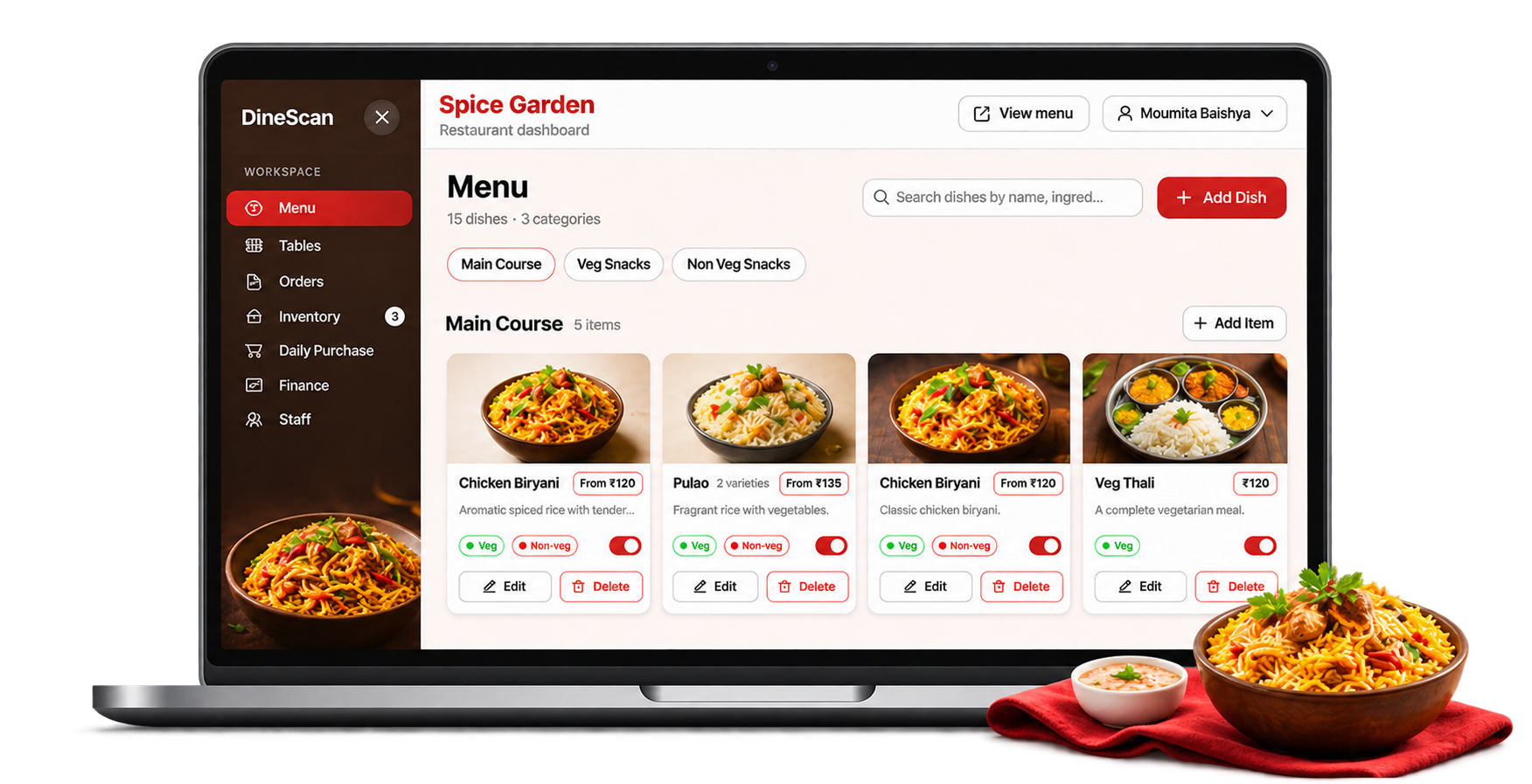
Menu Management
Create, update and organize your menu with varieties, pricing, images and availability.
All-in-One Restaurant Management
A complete restaurant management system to handle menu, orders, tables, inventory, purchases, finance, and your team — all in one place.
⌂The Problem
Orders get messy during rush hours
Hard to track inventory and stock
No clear view of costs and profits
✓The Solution
DineScan brings your menu, orders, tables, inventory, purchases, finance and team together in one place.

Create, update and organize your menu with varieties, pricing, images and availability.
Manage tables, generate QR codes and let customers place orders directly.
Track orders in real time, update status and keep your kitchen running smoothly.
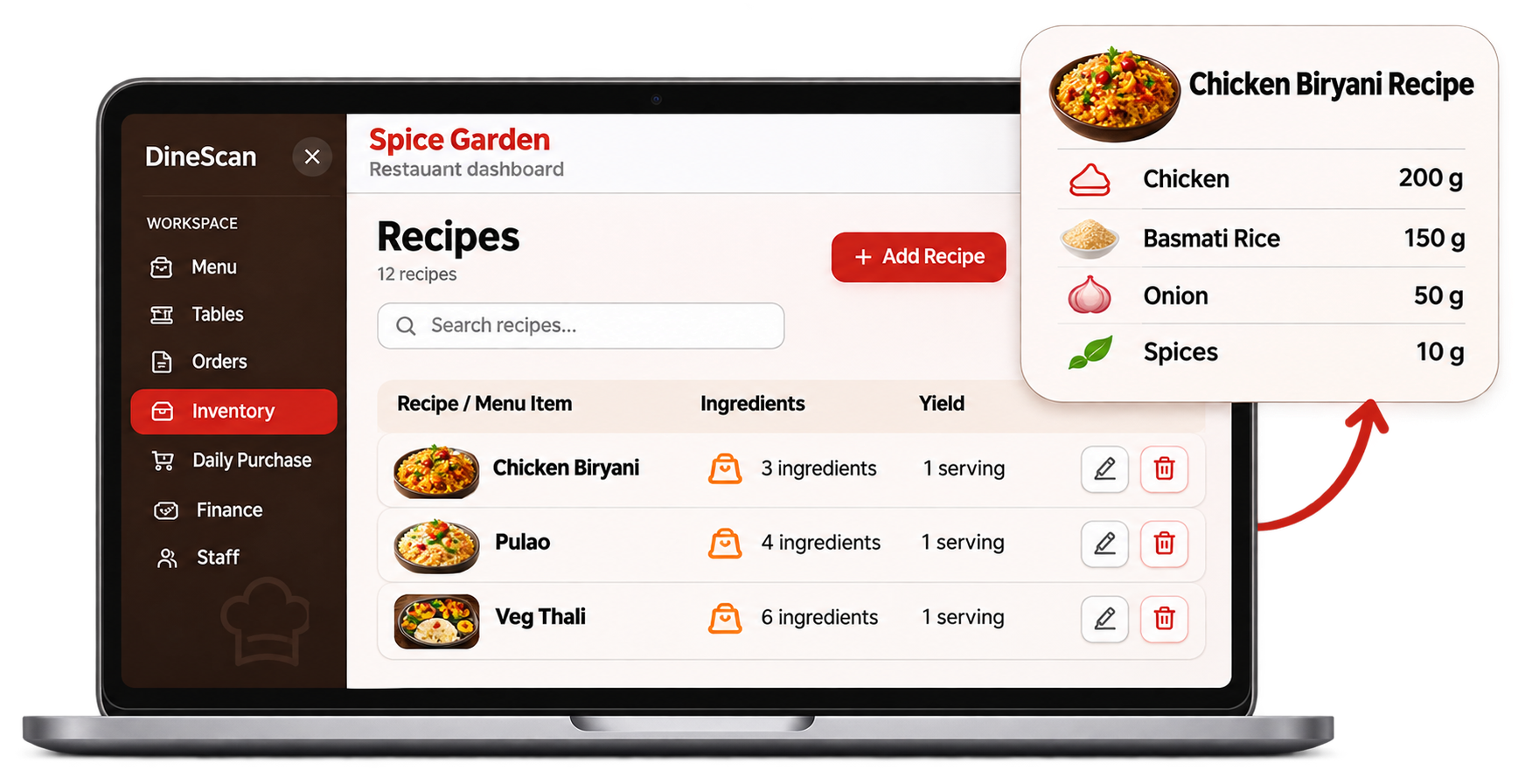
Track stock, set reorder levels and link ingredients with recipes for automatic deduction.
Create purchase lists, record receiving, update stock and manage suppliers.
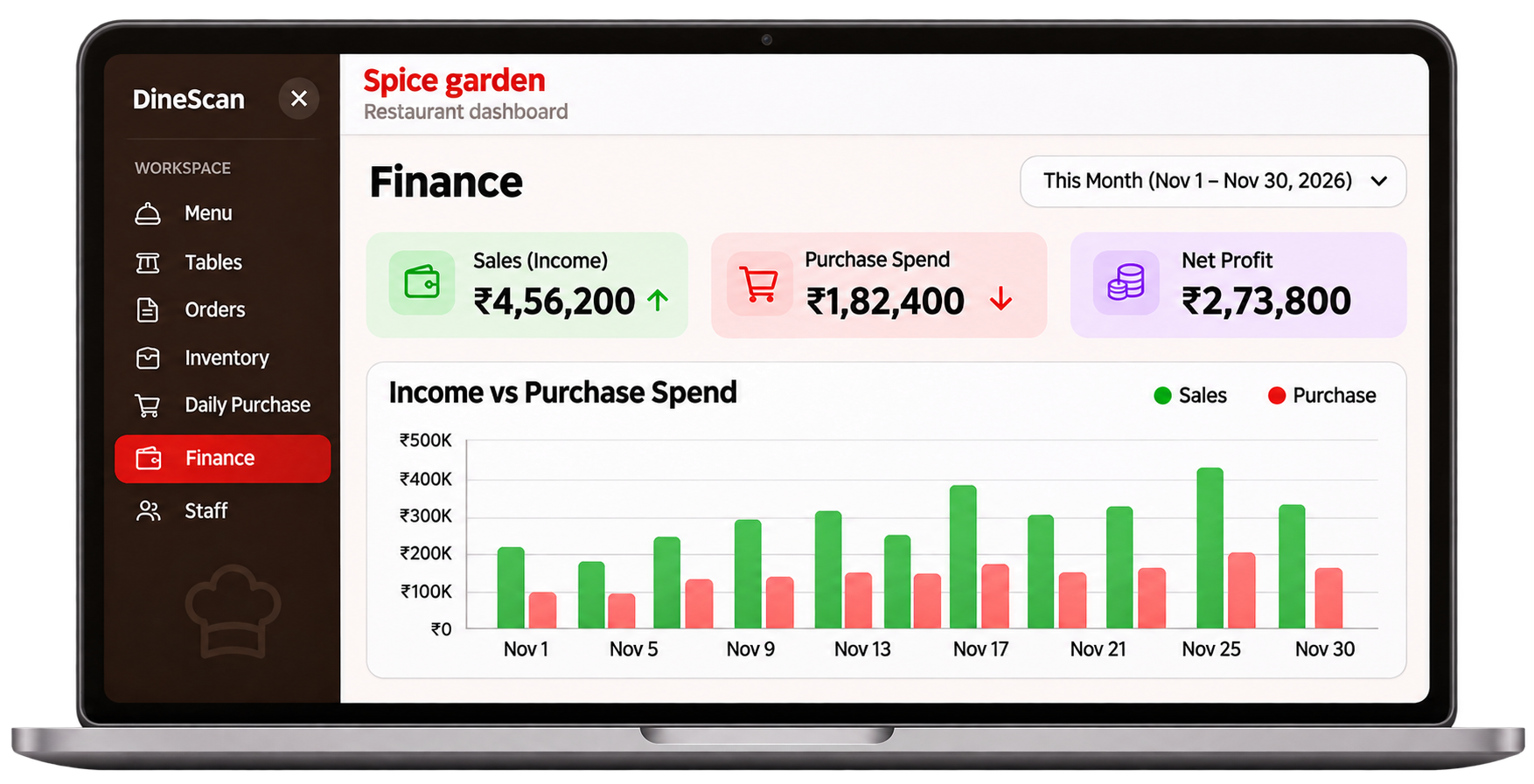
See sales, purchase spend and net profit with daily, monthly and yearly reports.
Add team members, assign roles and control access.
Secure access, role-based navigation, PDF bills, exports and a mobile-friendly experience.
How It Works
See how DineScan connects your customers, staff, kitchen and management in a seamless flow.
Customer scans the table QR and browses the digital menu.
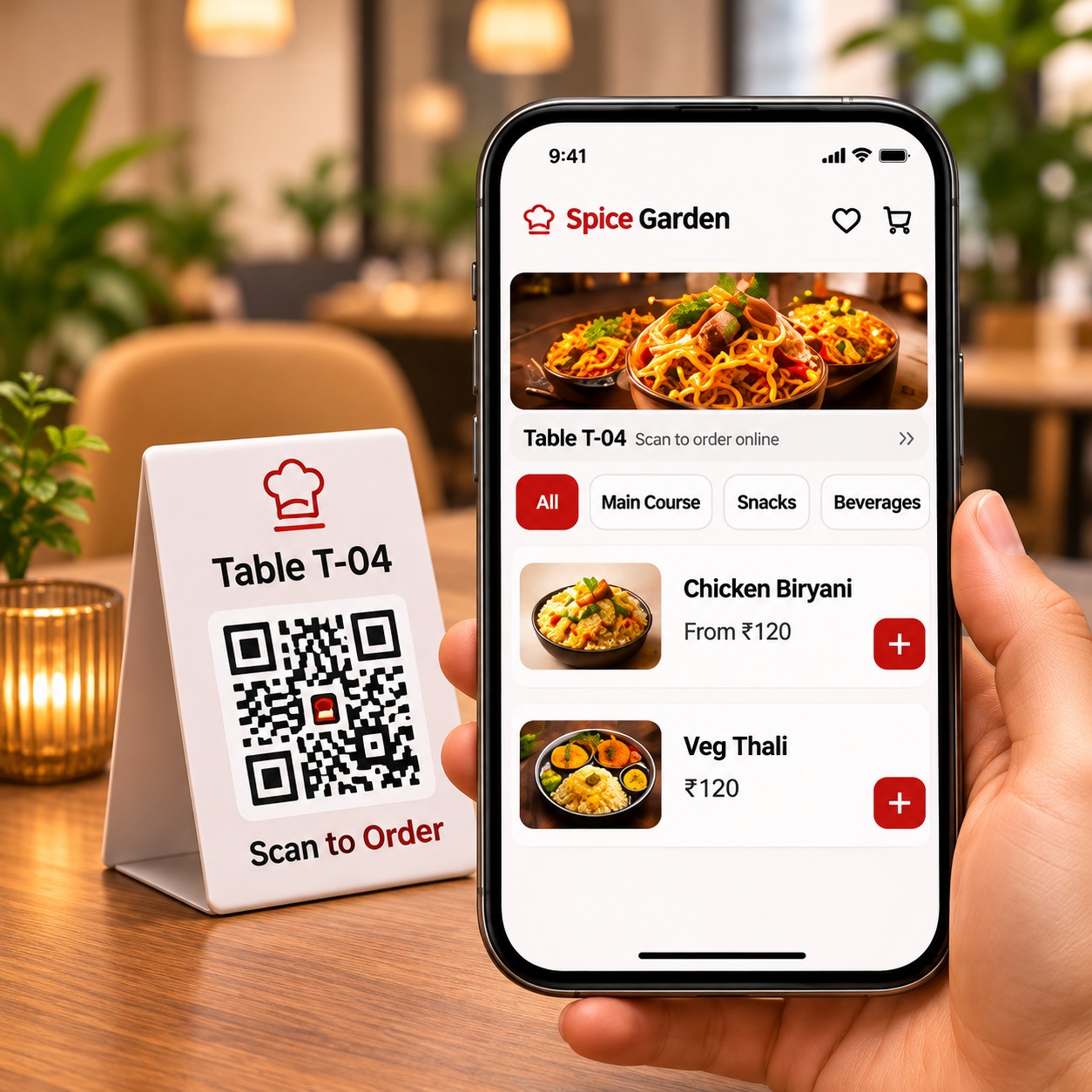
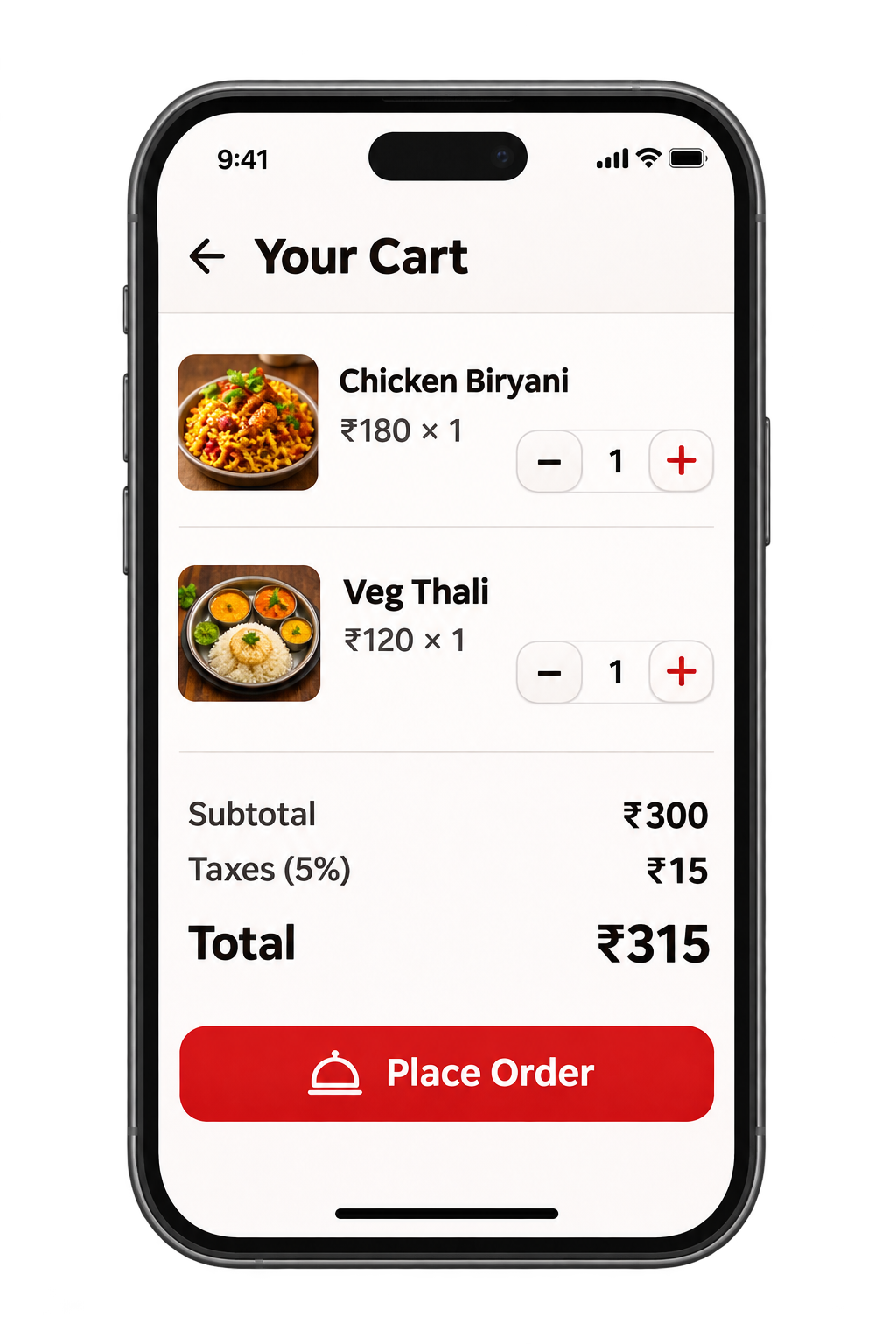
Add items to cart and place the order instantly.
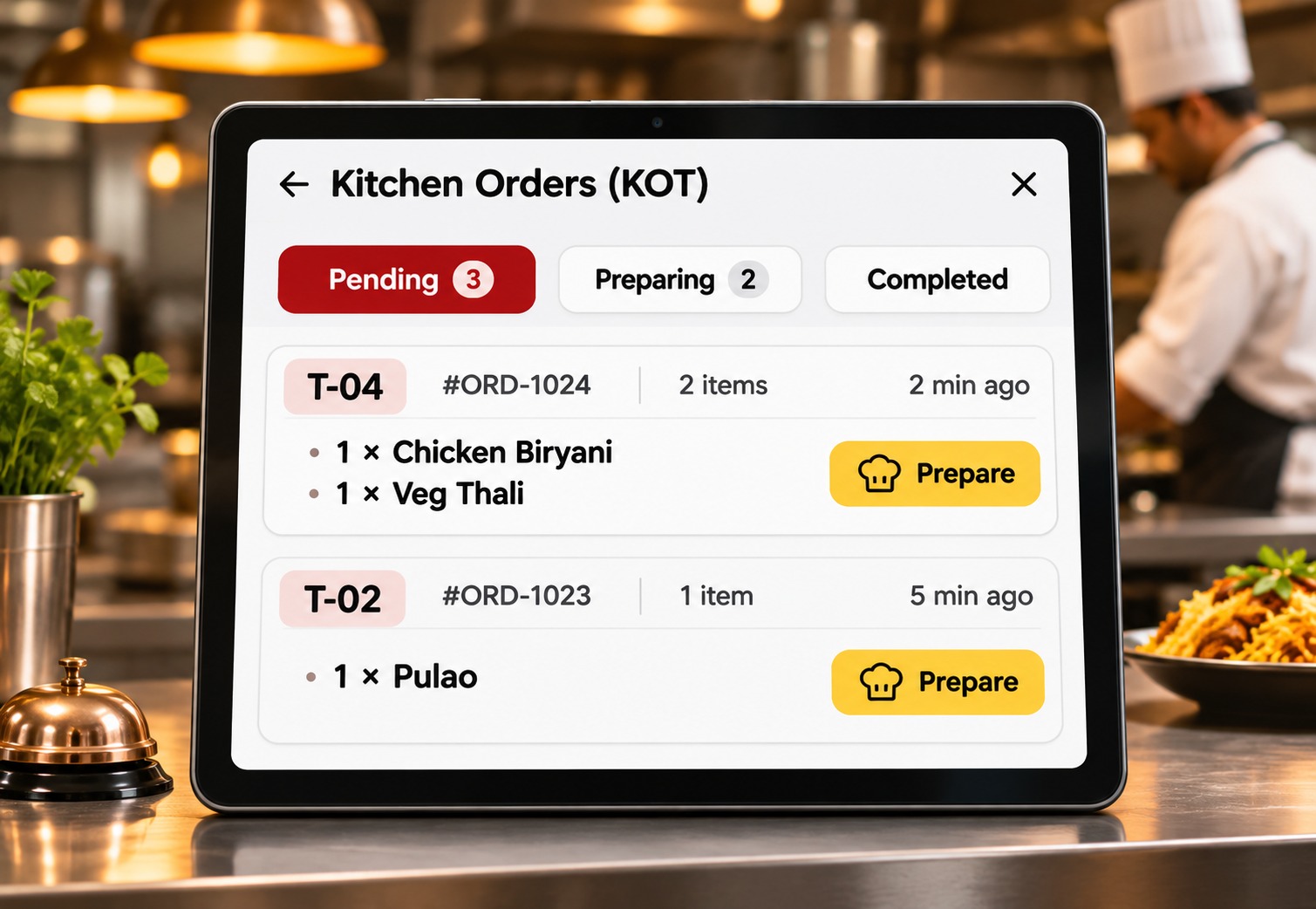
Order appears in the kitchen with KOT, and the chef updates the status in real time.
Order is marked as completed and served to the customer at the table.
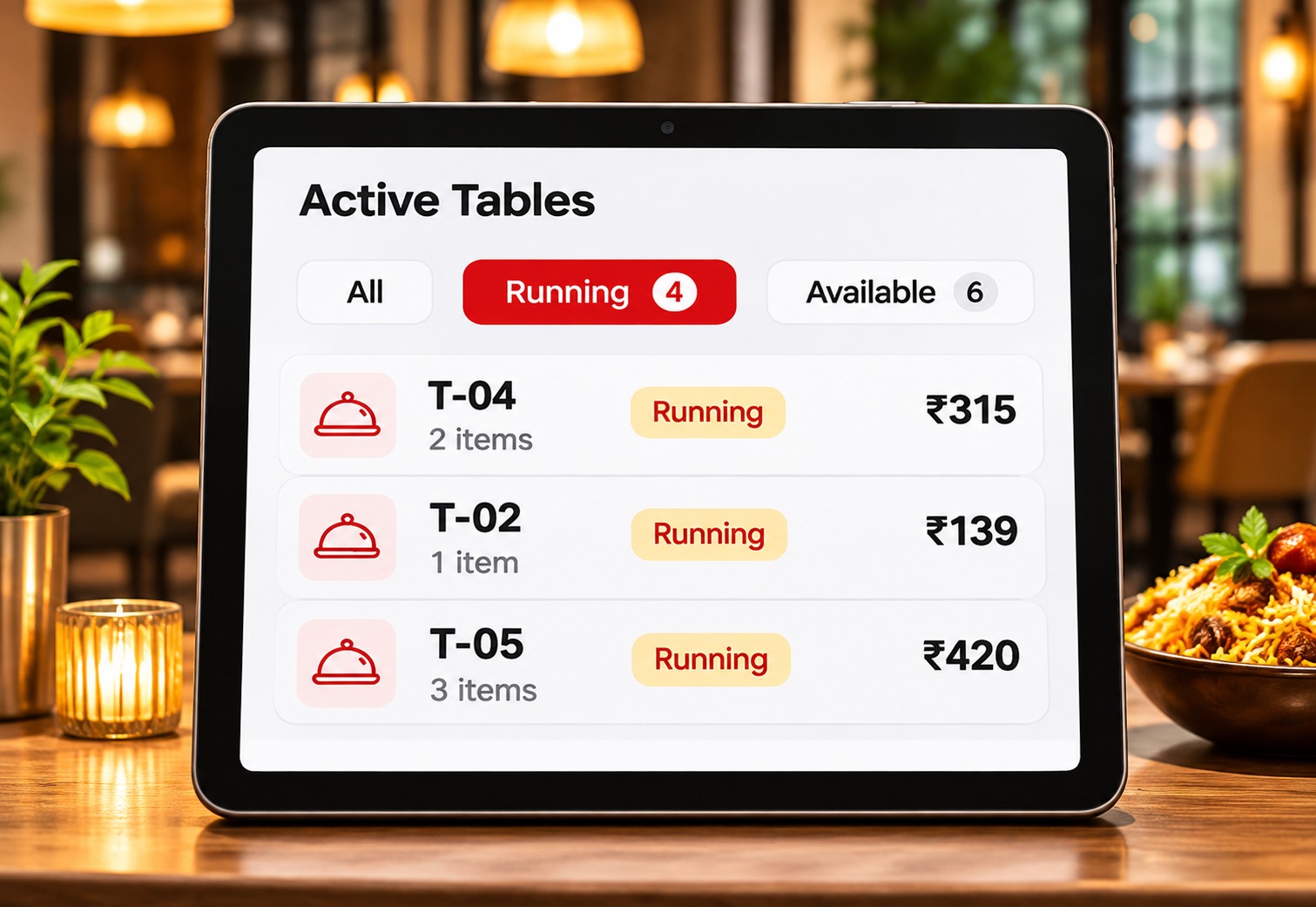
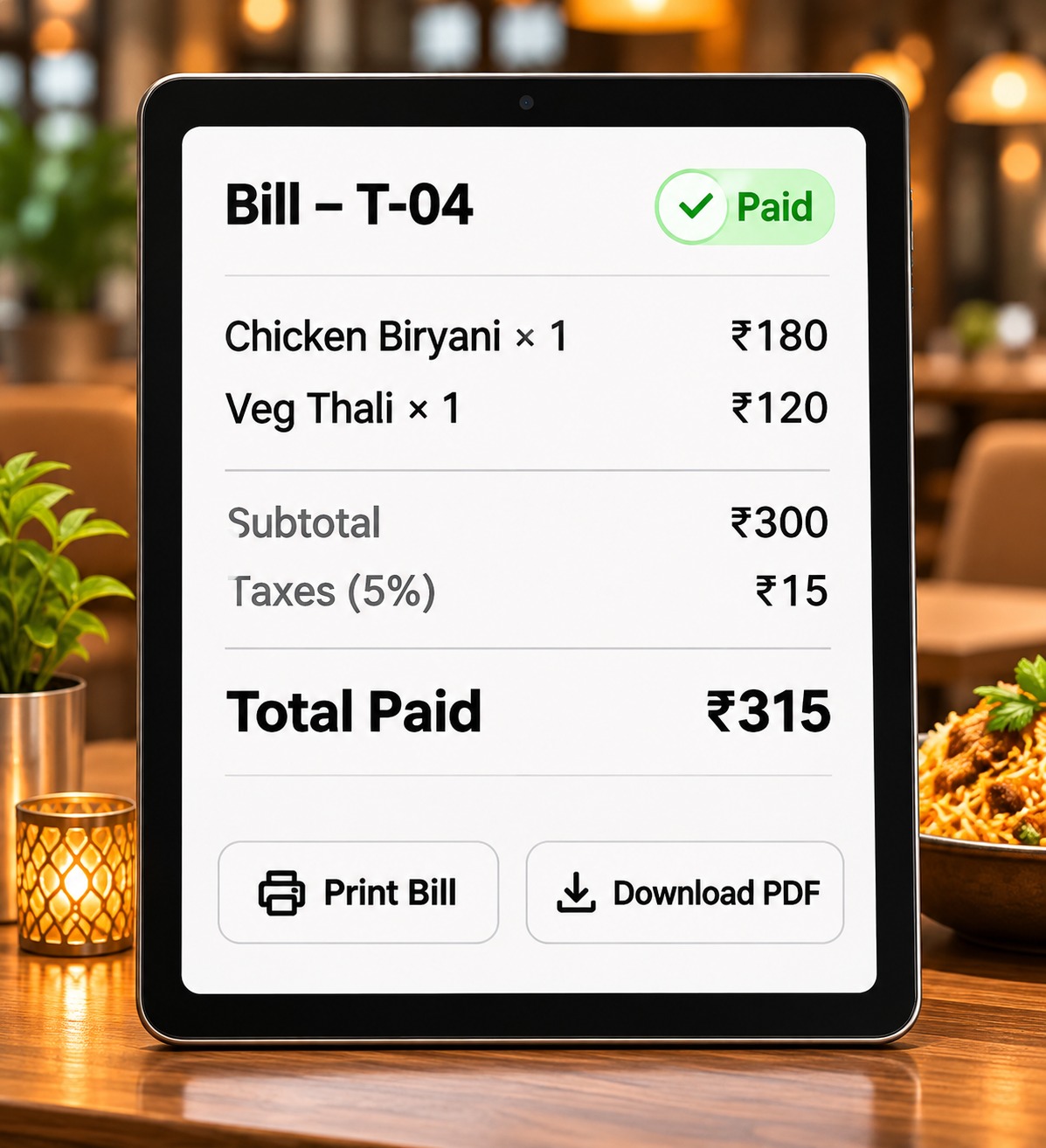
Generate or print the bill, mark as paid, and see real-time sales and reports.
From menu to kitchen in seconds
Customer · Kitchen · Staff · Billing
Accurate orders and stock updates
Track sales, purchases and profits easily
Inventory & Finance
From ingredient usage to purchase spending and profits — DineScan gives you complete visibility.
Track stock in real time, link recipes with menu items and get automatic stock deduction when orders are prepared.
Manage daily purchases, receive stock, track expenses and see your restaurant’s income, spend and profit.
Know what’s in stock, what’s low, and what to reorder.
Automatically reduce ingredients on order preparation.
Create, receive and manage daily purchase lists.
See income, expenses and net profit anytime.
Built for Everyone in Your Restaurant
DineScan brings your entire restaurant team and customers together with the right tools and experience.
Grow your business with complete control and clear insights.
Keep daily operations smooth and organized.
Get orders in real time and prepare without confusion.
Manage stock and purchases with accuracy.
A faster, simpler and contactless dining experience.
Reduce order time by up to 50%
with recipe-based stock control
by tracking every cost & sale
with a seamless, modern ordering experience
FAQs
Everything you need to know about DineScan, in one place.
DineScan is an all-in-one restaurant management platform that helps you manage your menu, tables, orders, kitchen operations, inventory, purchases, finance and staff in one integrated system.
Guests scan the QR code at their table, browse your digital menu in their browser, add items to their cart and place the order directly from their phone.
Yes. You can connect recipes to menu items, record purchases and automatically deduct ingredient stock when orders are prepared.
Yes. Create role-based access for managers, chefs, cooks and inventory staff so each person can use the tools relevant to their responsibilities.
DineScan helps you review sales, purchase spending, income, expenses and net profit through clear daily, monthly and yearly reports.
Yes. Customers only need a phone camera or QR scanner. The menu opens in their browser, so no app installation is required.
DineScan uses authenticated access and role-based permissions to help keep restaurant data available only to authorized team members.
Join DineScan and run your restaurant smarter, faster and more efficiently.
Get Started with DineScanNow it's the perfect time to do what we all love —
have some great food!
Thank You!
for exploring DineScan
D I N E S C A N